In troubleshooting problems, it is sometimes necessary to capture the file and data being sent to the printer. Below are instructions for printing to a file on a Windows computer.
Most programs have a “Print to File” option found in the Print dialog window. You should ensure that your print output is sent to a file, rather than printing directly.
- On the “File” menu > Click “Print”
- Select the printer you will use to print the file.
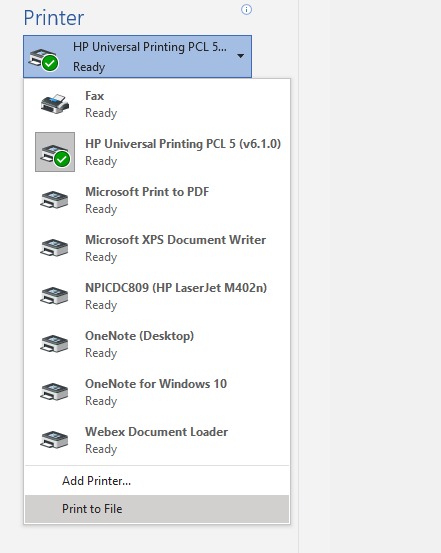
- Select the “Print to File” option
- In the “Print to File” dialog window > Type the “File name” to save the file as > Specify the location to save the file > Save
- Email the file to TypeHaus
Comments