In troubleshooting problems, it is sometimes necessary to capture the data (spool file) being sent to the printer. Below are instructions for two different methods for capturing a spool file on a Windows computer.
The first step is to make sure that output is spooled to the printer, rather than printing directly.
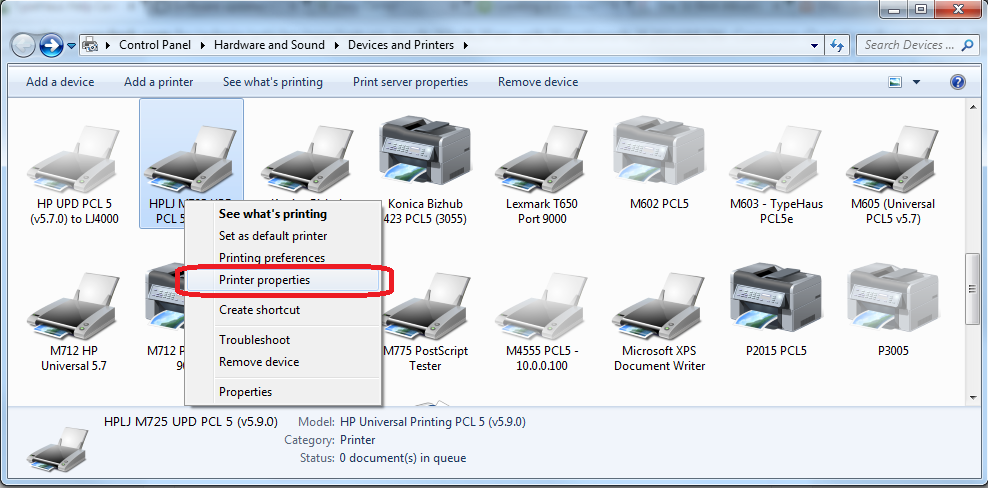
- Go to Devices and Printers, right click on the printer queue, and select "Printer Properties".
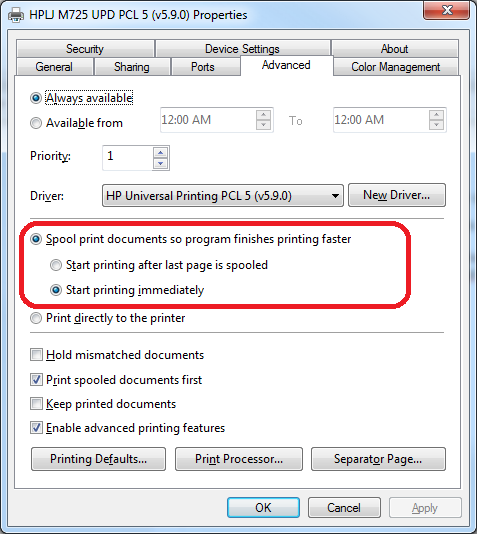
- Make sure that the setting "Spool print documents so program finishes printing faster" radio button is selected.
Next, we pause printing to the queue so we can capture the file:
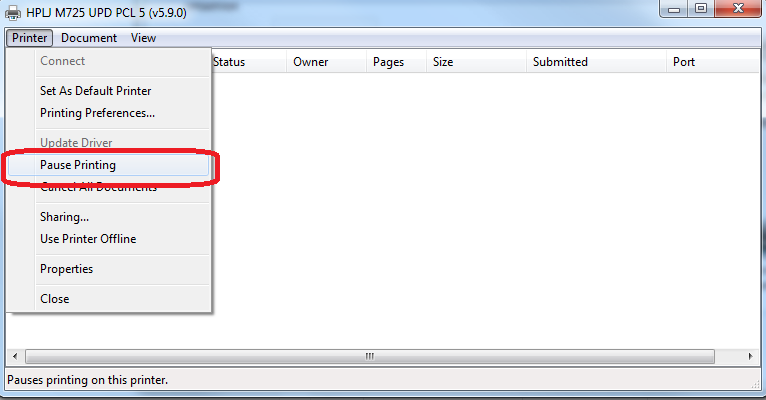
- Right click in Devcies and Printers, select See What's Printing

- Select Pause Printing
Next, open the spool directory ( C:\Windows\System32\spool\PRINTERS\ ) to watch for the spool file after it enters the queue
Print your document through the print queue
Look for files with an extension of *.spl in the directory: 
Email the spool file to TypeHaus. 
Comments