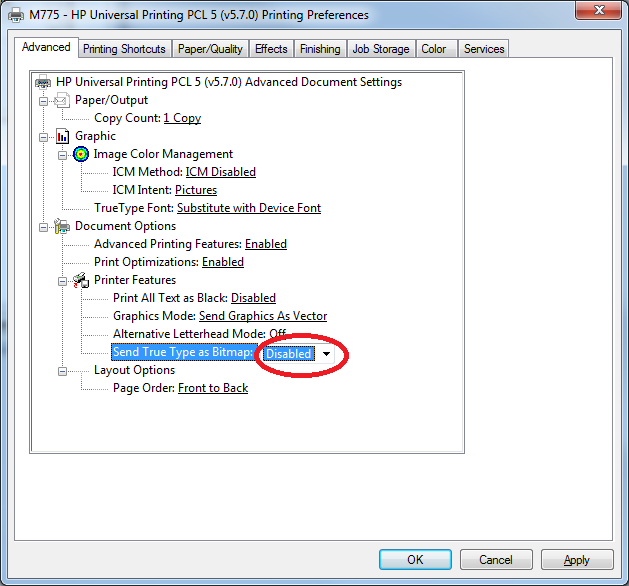
If you are using the HP Universal PCL5 driver with Checkjet, and you are not getting your secure resources when printing, it may be necessary to change one of the default settings in the driver. In Devices and Printers, right click on the print queue and select Printing Preferences. Then click the Advanced tab. Under "Document Options->Printer Features" change the "Send True Type As Bitmap" setting to Disabled, then click Apply.
Comments